RecordSets Ownership Transfer
The Ownership Transfer feature allows a user to transfer a RecordSet in a shared zone from one owner group to another by request/approval.
Ownership Transfer Features
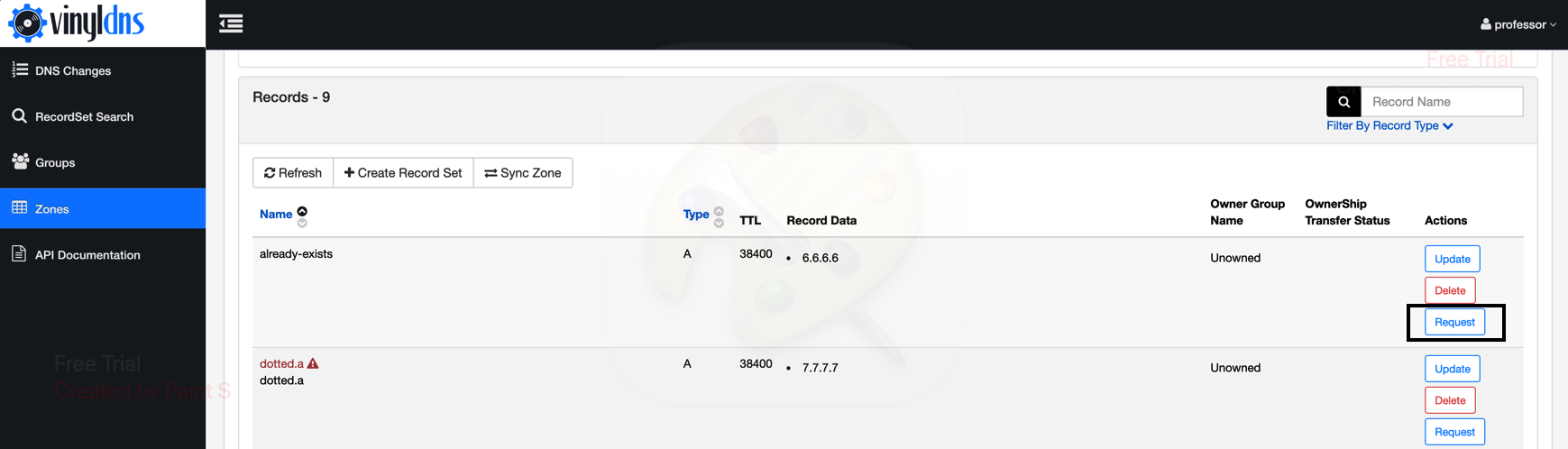
- In the Manage Records tab of a shared zone, the user can request ownership of an Unowned record by clicking the Request button then selecting their group name from the dropdown. Requests for ownership of unowned records are automatically approved.
- The same Request button can be used to request ownership of owned records. These requests will notify the existing owner group by email for their approval.
- Approvers can view pending Ownership Transfer requests in the Manage Records tab of the Zone page, then either approve or reject the request.
Requesting Ownership Transfer
To request Ownership Transfer of an unowned RecordSet in a shared zone:
- Navigate to the Zone page in the VinylDNS Portal.
- Search for and select the relevant zone.
- Open the Records section and locate the unowned record.
- Select the Request button for that record.
- Select your owner group.
- Submit the request.
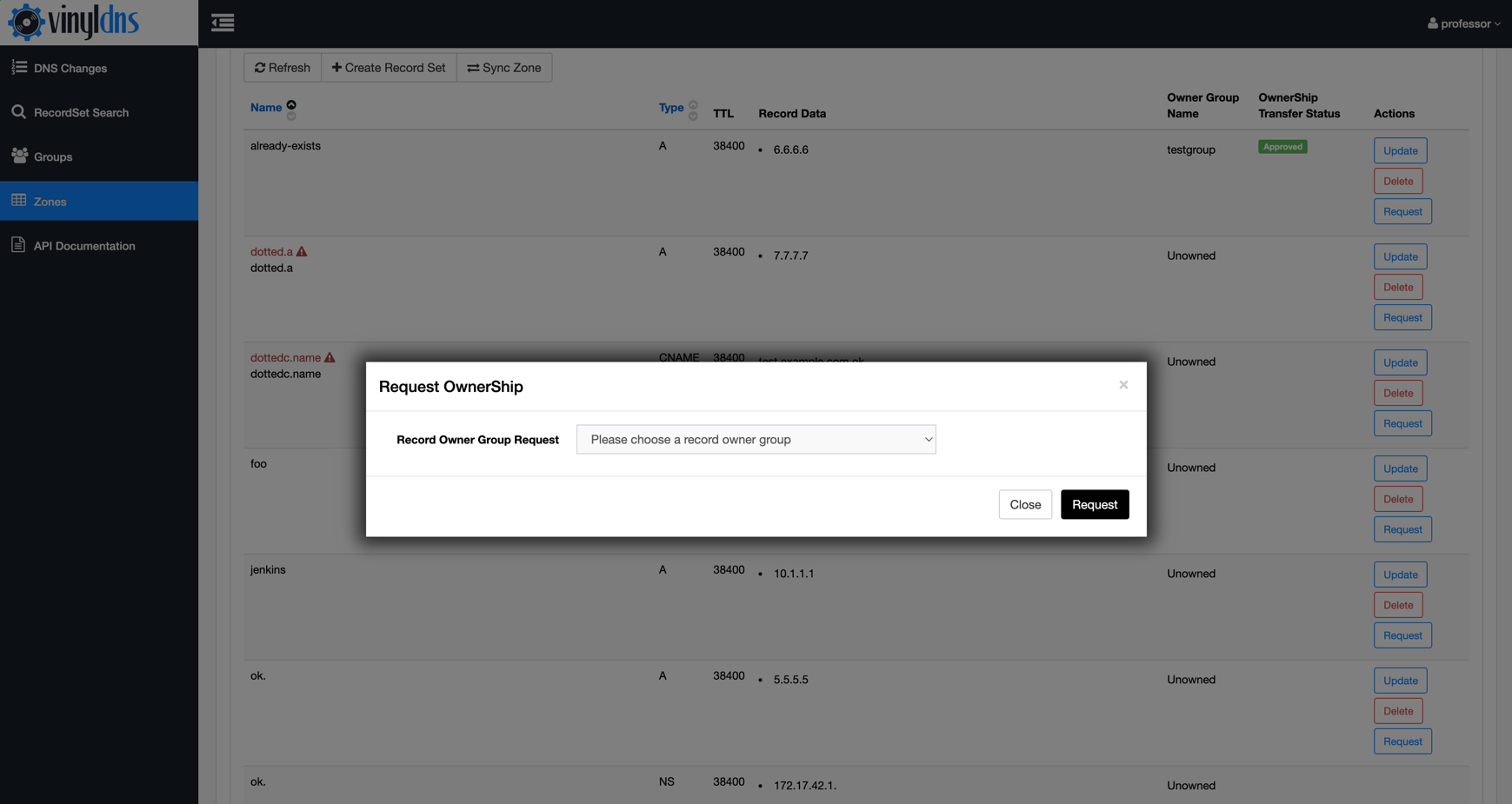
To request Ownership Transfer for a RecordSet with an existing owner group in a shared zone:
- Navigate to the Zone page in the VinylDNS Portal.
- Search for and select the relevant zone.
- Open the Records section and locate the owned record.
- Select the Request button for that record.
- Select your group in the Record Owner Group Request dropdown.
- Select Requested in the Record Owner Group Status dropdown.
- Submit the request.
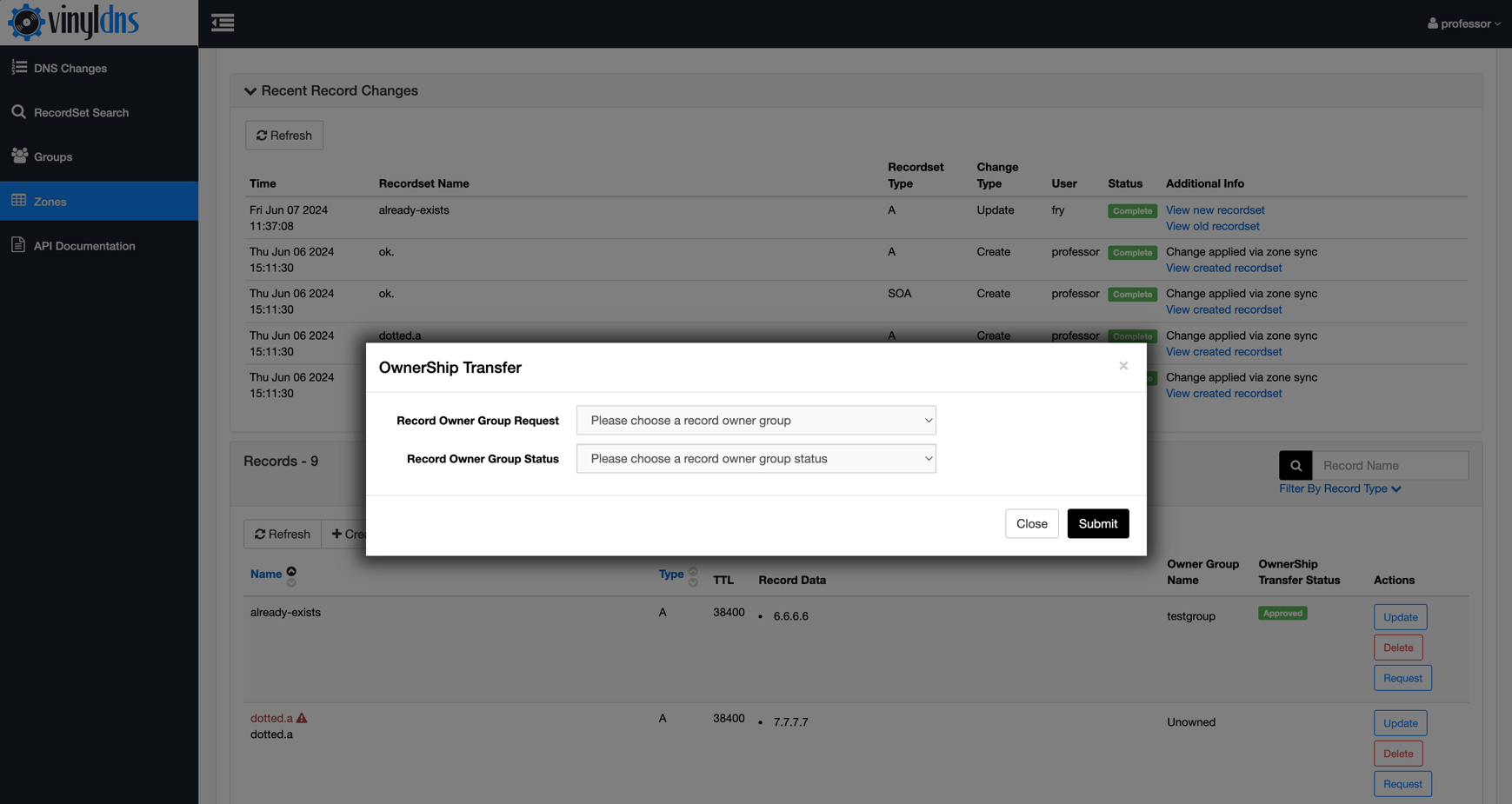
Approving/Rejecting Ownership Transfer
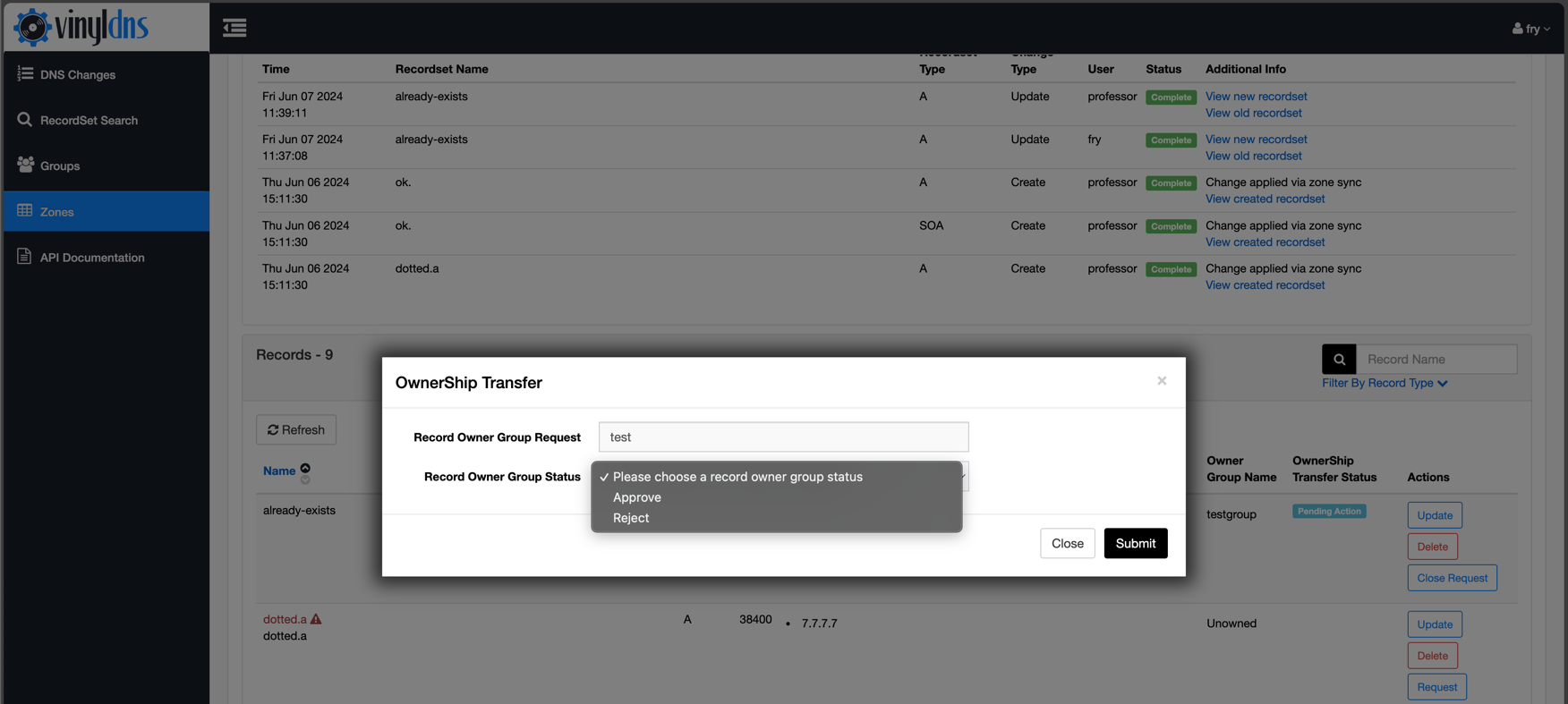
An approver can approve or reject the requested Ownership Transfer in a shared zone on the Zone page of the VinylDNS Portal by selecting the Close Request button that corresponds with the records they want to approve or reject.
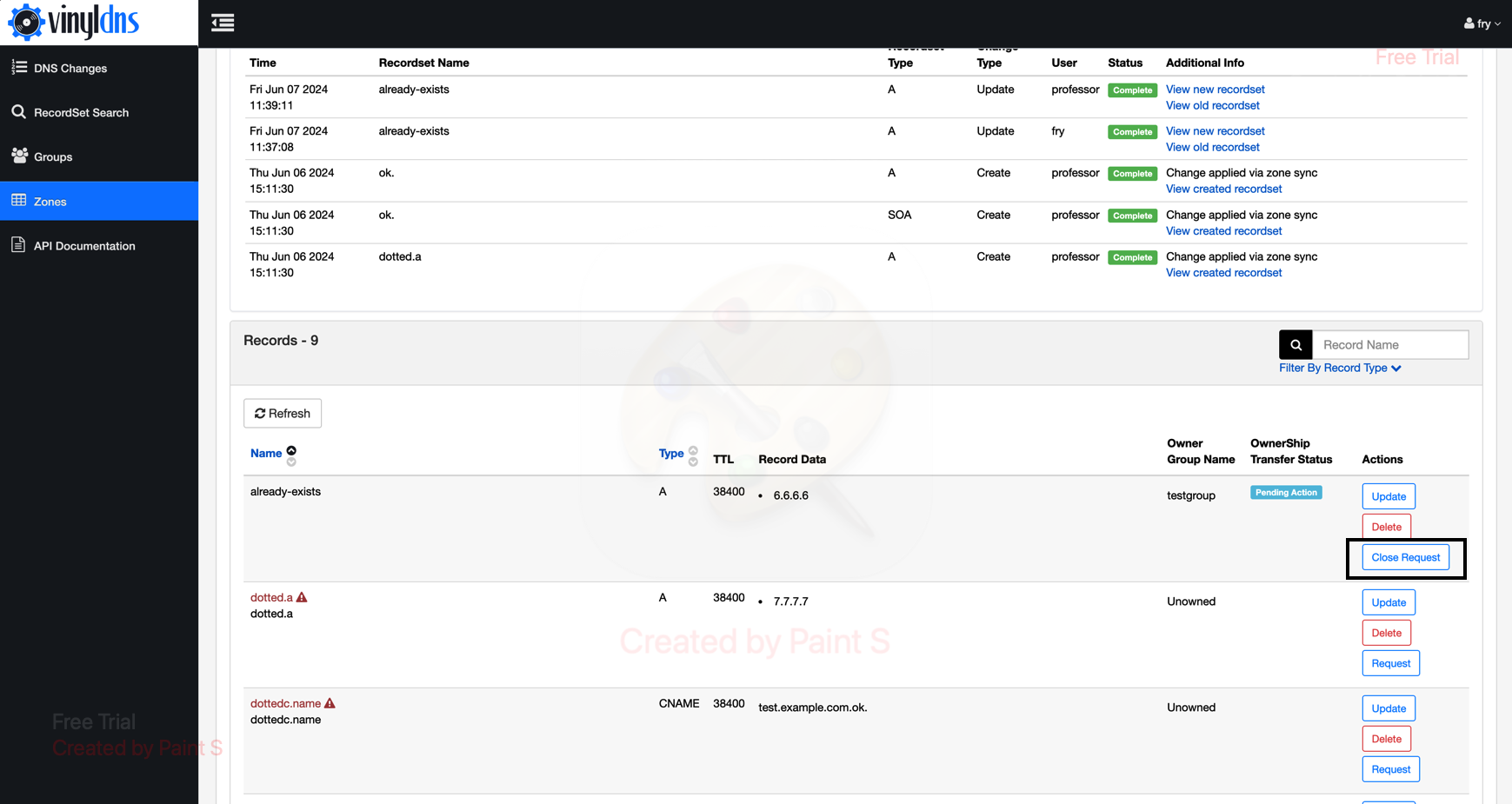
Select either Approve or Reject in the Record Owner Group Status, then submit.
Cancelling an Ownership Transfer Request
If you have submitted an ownership transfer request that is pending review, you can cancel it before the current owner group approves or rejects it.
To cancel a pending request:
- Navigate to the Zone page in the VinylDNS Portal.
- Search for and select the relevant zone.
- Open the Records section and locate the record with the pending ownership transfer request.
- Select the Request button for that record.
- Select Cancel.
- Submit the change.
Note: You can only cancel requests that are in “Pending Review” status. Once a request has been approved or rejected, it cannot be cancelled.
Email Notifications
VinylDNS automatically sends email notifications for ownership transfer requests:
- When a transfer is requested: Members of both the current owner group and the requesting group receive an email notifying them that a transfer request is pending review. The email includes a link to review the request in VinylDNS.
- When a transfer is approved: Members of both the previous owner group and the new owner group receive an email confirming the approval.
- When a transfer is rejected: Members of the requesting group receive an email notifying them that the request was rejected.
- When a transfer is cancelled: Members of the current owner group receive an email notifying them that the pending request was cancelled.
Note: Email notifications are not sent for auto-approved transfers (when claiming unowned records).